

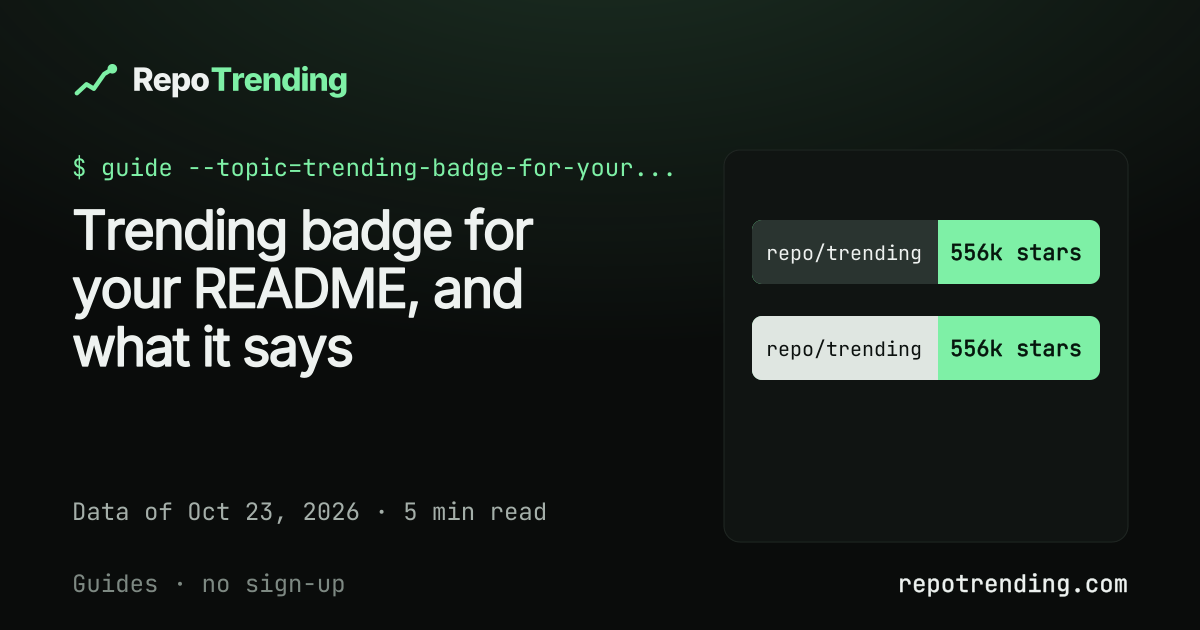

Paste this into your README, and change the owner and repo name to yours:
[](https://repotrending.com/repo/codecrafters-io/build-your-own-x/)
The example is codecrafters-io/build-your-own-x, which has a page and a badge today. The badge links to the repo’s page, so a reader can check the number it shows.
What does the badge say?
The badge shows your repo’s best rank among today, this week and this month. It checks them in that order: “#3 today”, else “#12 this week”, else “#40 this month” (format examples, not real ranks). The label on the left always reads repo/trending.
If the repo has no rank in any of the three lists, the badge shows its star count. For codecrafters-io/build-your-own-x that is “556k stars” (555,515 in the snapshot of Oct 23, 2026).
Why does every badge show stars on Oct 23?
Every badge shows stars today because no ranking is ready yet. We started collecting on Oct 23, 2026, and a gain needs two snapshots to compare. The first Today ranks arrive on Oct 24, This week fills in on Oct 30 and This month on Nov 22.
So a badge you paste in today starts as a star count and turns into a rank by itself once your repo has one. How we rank explains the windows and the formula.
How do I pick the light or dark badge?
Pick dark on a dark README theme and light on a light one. Both files have the same text and size. They differ only in colors.
The dark file lives at /badge/<owner>/<name>.svg. The light one lives under /badge/light/:
[](https://repotrending.com/repo/codecrafters-io/build-your-own-x/)
The badge page shows both styles next to their snippets, with a copy button.
How are the badges made?
Each repo gets two static SVG files, made at build time. With 2,500 repos that is 5,000 files, each under 1 KB. Nothing runs when your README loads: GitHub fetches a small file.
- 2,500repos with a badgeof the 12,468 we track
- 5,000badge filestwo for each repo
- < 1 KBfor each filestatic SVG, made at build time
Which repos have a badge?
A badge exists only for repos that have a page on RepoTrending. Today that is 2,500 of the 12,468 repos we track. A repo with no page has no badge file, so a link to it would return a 404.
Having no rank doesn’t matter. A repo with a page but no rank gets a badge with its star count. Whether a repo is tracked at all depends on how we find repos (public, 5,000 stars or more, plus newer and topic-based searches), which is covered in how GitHub trending works.
How do I check my repo?
Type owner/repo in the box on the badge page and press “Get my badge”. If the repo has a page, you’ll see the badge and the snippet. You can also open /repo/owner/name/ directly. For the example, that is the page for codecrafters-io/build-your-own-x.
If that address returns a 404, the repo isn’t among the 2,500 yet, and a badge for it doesn’t exist.
Can a badge be bought?
No. The badge can’t be bought, and sponsors get none. Sponsors sit in a labeled card on the site and never change a rank.
There is one limit you should know. We don’t check for bought or farmed stars yet, so a rank on a young repo after a big jump deserves a second look.
Frequently asked questions
What does the RepoTrending badge show?
It shows your repo’s best rank among today, this week and this month, for example “#3 today”. If the repo has no rank, it shows the star count, for example “556k stars”. The label always reads “repo/trending”.
Why does my badge show stars and not a rank?
No ranking window is ready yet. On Oct 23, 2026 every badge shows stars, and the first ranks start on Oct 24, 2026.
Can I get a badge for any GitHub repo?
No. A badge exists only for repos that have a page on RepoTrending, which today means 2,500 of the 12,468 repos we track. For any other repo the file does not exist and the link returns a 404.
Can I buy a better badge or a higher rank?
No. The badge can’t be bought and sponsors get none. Sponsors sit in a labeled card and never change a rank.
Does the badge update by itself?
Yes. The badge files are made when the site is built, and the site is rebuilt once a day after each collection, so your README doesn’t need a new commit. The image address stays the same. GitHub may keep a cached copy of README images, so a change can take a while to show.
Ready to add yours? Get your badge. To see what the rank on a badge is measured over, read daily, weekly or monthly: which window to watch.
Data used
| Number | Source | Date |
|---|---|---|
| 12,468 repos tracked | RepoTrending, meta.json: trackedRepos, GitHub REST API (public repository search, read-only) |
Oct 23, 2026 |
| 2,500 repos with a page and a badge | RepoTrending, PUBLISH_LIMIT in collector/compute.mjs |
Oct 23, 2026 |
| 5,000 badge files (2 per repo) | RepoTrending, src/lib/badge.js and the badge pages (2,500 × 2) |
Oct 23, 2026 |
| Under 1 KB per badge | RepoTrending, built SVG files | Oct 23, 2026 |
| 555,515 stars (shown as “556k stars”) for codecrafters-io/build-your-own-x | RepoTrending, repos.json, GitHub REST API |
Oct 23, 2026 |
| Today ranks from Oct 24, This week from Oct 30, This month from Nov 22 | RepoTrending, meta.json: windows |
Oct 23, 2026 |
| 5,000-star floor for discovery | RepoTrending, BIG_FLOOR in collector/discover.mjs, how we rank |
Oct 23, 2026 |
More guides
- How to check a GitHub repo before you depend on it
- Stars per year: comparing old and new GitHub repos
- Daily, weekly or monthly: which window to watch?
- Find Claude Code repos worth trying (Oct 2026)
- GitHub trending alternatives: what each one counts
- How does GitHub decide what is trending?
- Open source licenses on popular GitHub repos
- Stars gained vs total stars: which says more?
- What 12,468 GitHub repos look like